Medplum Provider
The Medplum Provider is a user-facing web application for clinical users and operations teams. In this section, you can learn about different features of the Provider App and the workflows they enable.
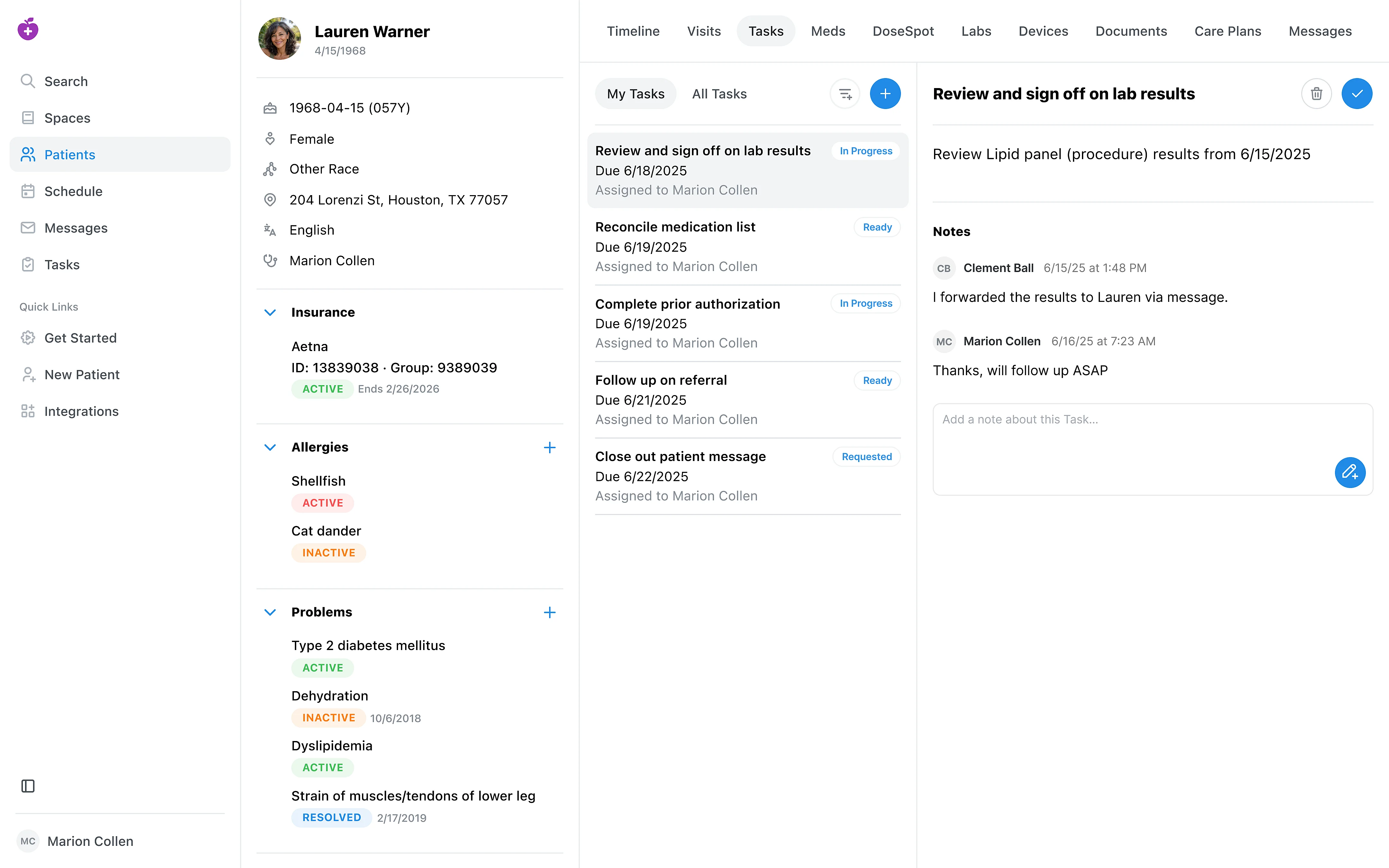
Medplum Provider is built on the Medplum Platform and is open source. Depending on your organization’s needs, you can use Medplum Provider as your system of record, as a starting point, or as an implementation reference for your own custom electronic health record system.
Building a Custom EHR
Beyond using the hosted app at provider.medplum.com, Medplum Provider is also a launching point for building your own custom EHR. You can fork it into a standalone repository that you own, host, and extend independently, while still connecting to a hosted or self-hosted Medplum server.
The fastest way to fork Medplum Provider is with the Medplum project initializer:
npm init medplum
You'll be prompted for a few options:
- Starter project — select Provider (the default).
- Project name — the directory and repository name for your new app.
- Medplum server URL — your Medplum API URL (defaults to
https://api.medplum.com/, or usehttp://localhost:8103/for a local server). This is written to the project's.envfile. - Create a GitHub repository — optionally create a new GitHub repository and push to it in one step. This requires the GitHub CLI (
gh), and you can choose whether the repository is private or public.
The initializer clones the standalone medplum-provider repository, points it at your server, and initializes a fresh git history. Once it finishes:
cd <your-project-name>
npm run dev
Your forked app runs at http://localhost:3001/ and resolves the @medplum/* packages from npm, so it builds and deploys on its own without the Medplum monorepo. From there you can customize pages, components, and workflows to fit your organization.
Registering & Signing In
To use Medplum Provider, you'll need a Medplum account.
- Register a new account and create a new Project on the Medplum App at app.medplum.com
- Navigate to Medplum Provider at provider.medplum.com and sign in with the same credentials
- After signing in, review the "Get Started" page to import sample data and more
Occasionally, you may need to use the Medplum App for administrative and other tasks which we note explicitly in this documentation.
Using Medplum Provider
The following sections outline the primary functionality of the Medplum Provider app.
Adding Practitioners & Data
Patient Profile
Schedule
Visits
Tasks
Spaces
Documentation Coming Soon:
- Messages
- Labs
- Medications